
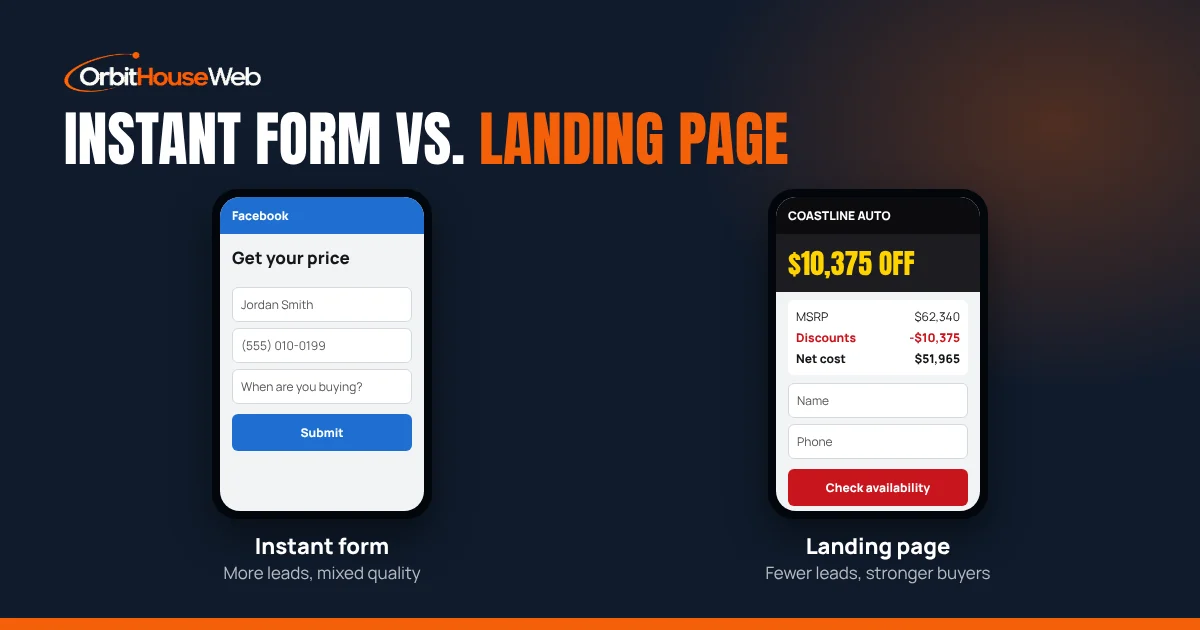
Instant forms vs. landing pages: which gets dealers better leads?
Instant forms win on volume, landing pages win on quality. Here is how to use both in a dealer campaign.
Read the guideResources/Guide
Most dealerships start their social media advertising the same way: someone posts a car, hits the blue Boost button, and picks a budget. A few days later the post has likes, a couple of comments asking "price?", and nobody has called. That's not because social media doesn't work for dealers. It's because boosting is the wrong tool for that job.
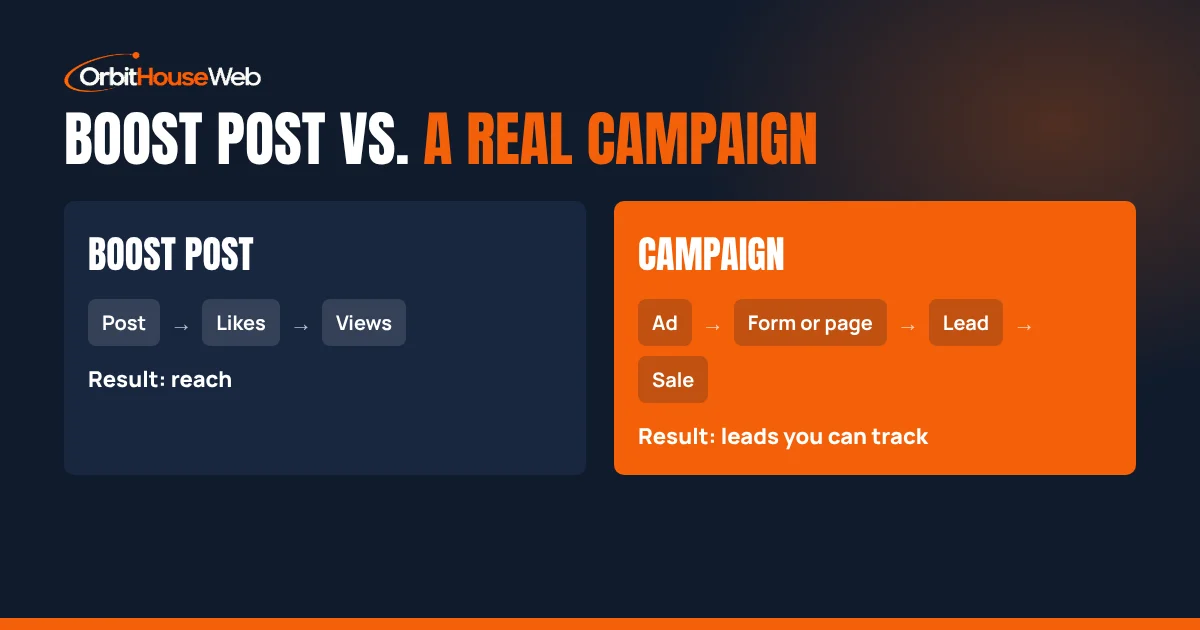
Here's the difference between boosting a post and running a real campaign, when each one makes sense for a dealership, and how to tell which one is paying for itself.
Boosting takes a post that's already on your page and pays to show it to more people. It's fast and simple, which is the whole point. You pick a goal, an audience, a budget, and a run time, and it goes.
The tradeoff is control. Boosts offer a short list of goals, such as more engagement, more messages, or more website visits, and recommended audiences built around location, age, and interests. There's no built-in A/B testing, you can't choose placements one by one, and measurement is mostly about engagement, messages, and visits (Relevant Audience).
For a dealership, that means a boost is built to get people to react to a post. It isn't built to get a buyer's name and phone number into your sales team's hands.
A campaign built in Meta Ads Manager starts with the result you actually want. For a dealer, that's almost always leads. From there you get the controls that matter:
| Boost post | Ads Manager campaign | |
|---|---|---|
| Built for | Reach and engagement | Leads, calls, and appointments |
| Where people go | Your post or profile | An instant form or a landing page for that offer |
| Retargeting site visitors | No | Yes |
| A/B testing | No | Yes |
| Optimizes for real leads | No | Yes, with the Pixel and Conversions API |
| Setup time | Minutes | An hour or more to do right |
Boosting isn't useless. It's just a brand tool, not a lead tool. It works well for:
Spend small and treat it as awareness. Don't judge it by phone calls, because it was never built to produce them.
If the goal is moving a specific unit, filling the showroom on a slow month, or pulling in trade-ins, you need a campaign. That includes:
Each of these needs a clear offer, a short form or landing page, and fast follow-up. That's the setup a boost can't give you.
If your ad promotes financing, payments, or auto loans, Meta treats it as a Special Ad Category called Financial Products and Services. That changes the targeting: age is generally fixed at 18 to 65+, gender can't be changed, location has to cover at least a 15-mile radius, lookalike and saved audiences aren't available, and some detailed targeting is off the table (Jon Loomer).
Price-based ads, like MSRP, discounts, and net cost, usually avoid that category. If you want to advertise payments, plan for broader targeting and let the creative do more of the work.
Likes and reach don't sell cars. Track these instead:
To get those numbers, every lead has to be tied back to the ad that produced it. That's what the Pixel, a landing page, and a simple lead log are for. It's also why fast follow-up matters as much as the ad itself. A lead that waits a day is worth a fraction of one called in the first hour (see speed to lead for car dealerships).
We build the ad, the page it sends shoppers to, and the tracking, then keep it fresh as inventory moves.
Contact UsNot always. Boosting works for awareness, like a new arrival video or a community post. It is the wrong tool for leads, because it is built for engagement and does not give you lead forms, retargeting, or optimization for real leads.
Occasionally, through comments and messages, but it is hard to track and hard to scale. A campaign with a leads objective and an instant form or landing page is built to capture the buyer's name and phone number.
Ads that promote financing, payments, or auto loans fall under Meta's Financial Products and Services category, which limits age, gender, location, and audience targeting. Price-based ads usually do not.
Start with a test budget you are comfortable with, run it long enough to see your real cost per lead and cost per appointment, and only scale once those numbers hold.
Instant forms win on volume, landing pages win on quality. Here is how to use both in a dealer campaign.
Read the guide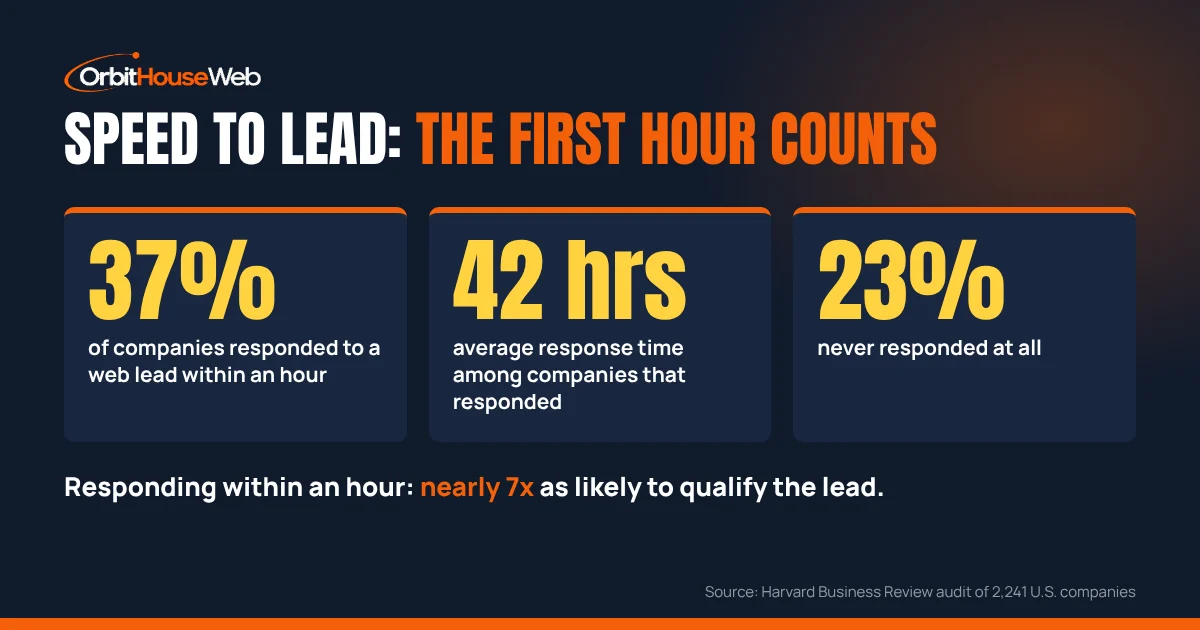
The lead is never hotter than the minute it comes in. What the research says and how dealers can respond faster.
Read the guideTell us what's on your lot and what you want to move, and we'll show you how we'd set it up.
We use cookies to see how visitors use this site. Privacy Policy